You think your school is secure. But how do you know?
Schools rely on Microsoft 365, Google Workspace and a growing number of online systems. But knowing whether the right security measures are in place isn’t always straightforward.
MXcentral gives schools a clearer view of their cybersecurity, helping Headteachers, School Business Managers and IT teams see what’s protected, what needs attention and where the gaps may be.
Could you answer these questions about your school today?
-
Are all staff accounts protected by Multi-Factor Authentication?
-
Have any school email addresses appeared in known data breaches?
-
Could someone send an email pretending to come from your school?
-
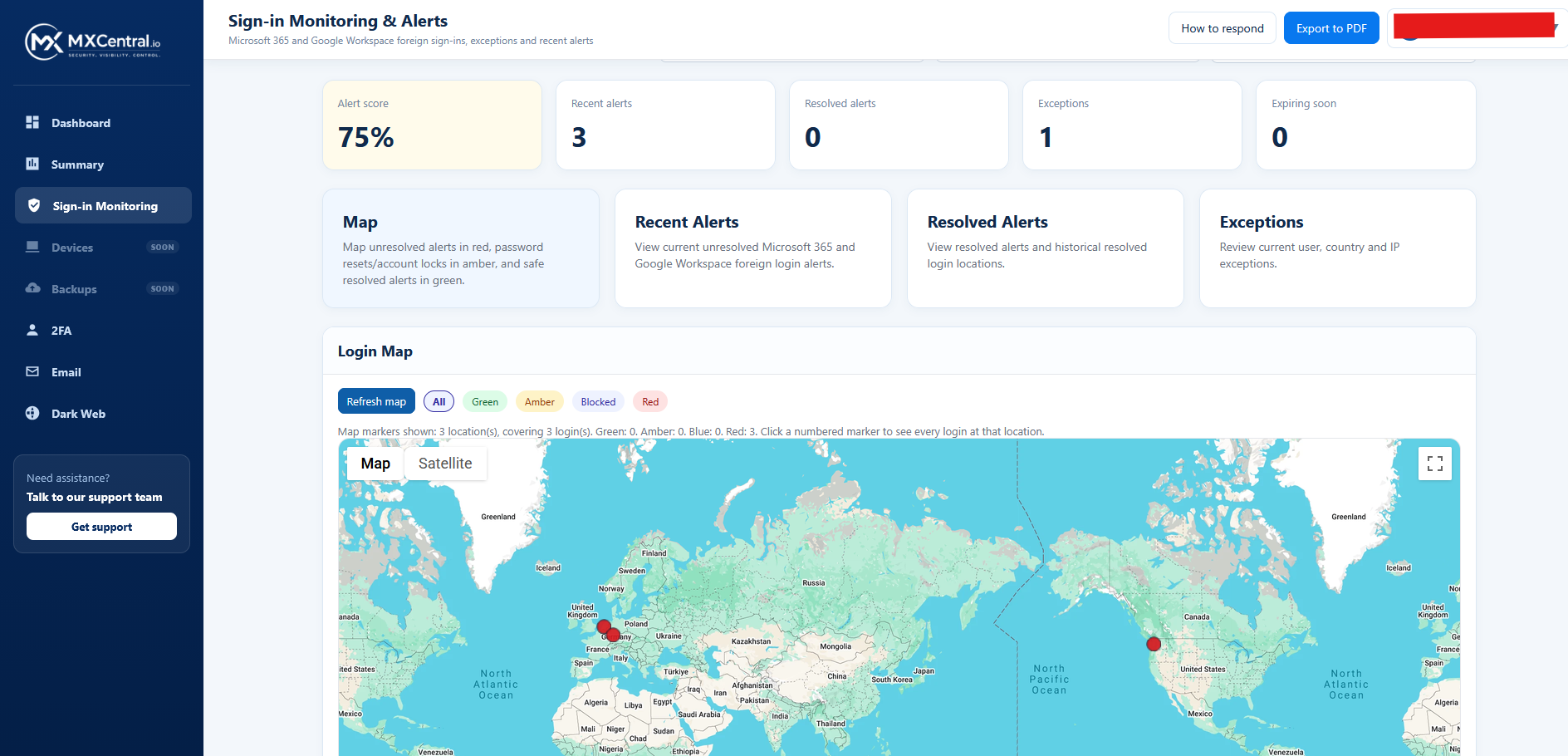
Would you notice unusual sign-ins to your Microsoft 365 or Google accounts?
-
Can you see where your school accounts are being accessed from?
-
Could you show your Headteacher or governors evidence of your school’s cybersecurity position?
Cybersecurity shouldn’t be guesswork.
Most schools already have security measures in place.
The challenge is knowing whether they’re working properly.
Security information is often spread across Microsoft 365, Google Workspace and other systems. Understanding it can mean relying on technical reports or asking your IT provider to investigate.
MXcentral brings important security information into one place, making it easier to understand without needing to be a cybersecurity expert.
What MXCentral helps your school see
Multi-Factor Authentication (MFA)
See which Microsoft 365 or Google accounts have MFA methods registered and identify accounts that may need further attention.
Dark Web Exposure
Identify school email addresses found in known data breaches, helping you investigate exposed credentials and reduce the risk of account compromise.
Email Security
Check SPF, DKIM and DMARC configurations to help identify weaknesses in your school’s protection against email spoofing.
Sign-In Visibility
View Microsoft 365 and Google sign-in activity, including geographic information, to help identify activity that deserves closer investigation.
Built for schools, not cybersecurity experts.
Your Headteacher shouldn’t need to log into multiple technical systems to understand whether important security measures are in place.
MXcentral is designed to make cybersecurity information easier to see and discuss, whether you’re responsible for IT, school operations or leadership.
The question isn’t just whether your school has security tools. It’s whether you can see what’s happening.
From scattered information to one clear view
1. Connect
Connect supported Microsoft 365 or Google Workspace environments to bring security information into MXcentral.
2. See
View key security information in a straightforward dashboard instead of searching through different administration portals.
3. Act
Identify areas needing attention and work with your IT team or provider to investigate and resolve them.
You don’t need to change your IT provider.
MXcentral isn’t a replacement for your school’s IT support.
Whether your IT is managed internally, by an external provider or by Cablers, MXcentral is designed to give you better visibility of important cybersecurity information.
It’s about understanding your school’s security, not replacing the people who manage it.
See MXcentral for yourself
Book an MXcentral Schools Demo
We’ll show you how MXcentral brings important school cybersecurity information together and how it can help you understand what’s protected and what needs attention.
No technical knowledge required. No pressure. Just a straightforward demonstration.
You know how your school is performing. Do you know how secure it is?
You regularly review attendance, safeguarding, budgets and educational performance.
Cybersecurity deserves visibility too.
MXcentral helps make that possible.